Metadata Scrubbing Tool for Gmail
Secure e-mail communications by removing metadata from Gmail attachments.
Trusted by professionals at




Best-in-class removal of attachment metadata. Gmail integration that is seamless.
Widely compatible
We integrate directly into Gmail & GSuite. Can be used in all versions of Google Chrome.
Try nowSecure
We do not store or retain any data. Okatee meets FIPS 140-2 encryption standards and is HIPAA compliant.
Try nowAutomatic cleaning
Automatically cleans documents before they reach your clients or opposing counsel.
Try now
How Okatee works
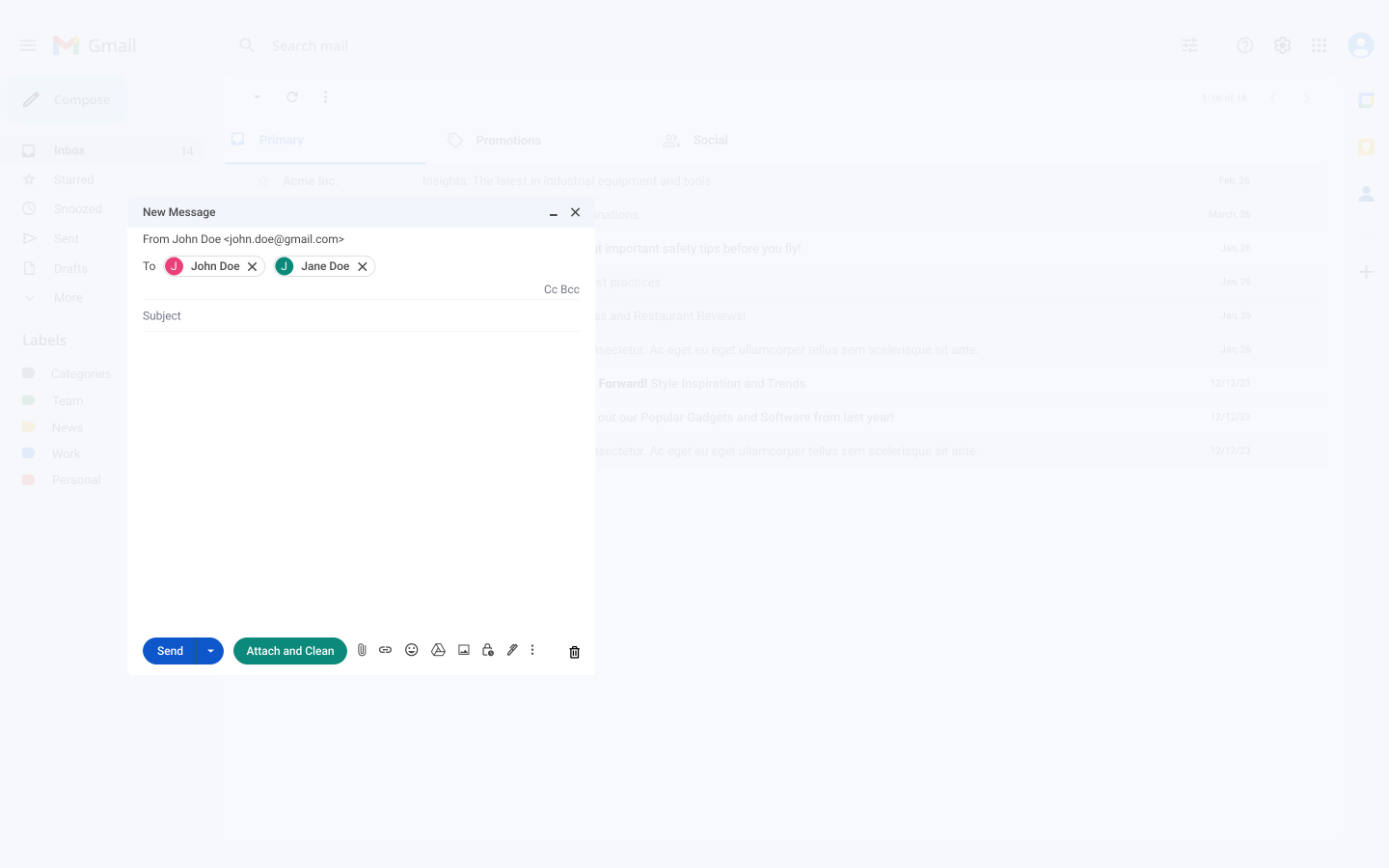
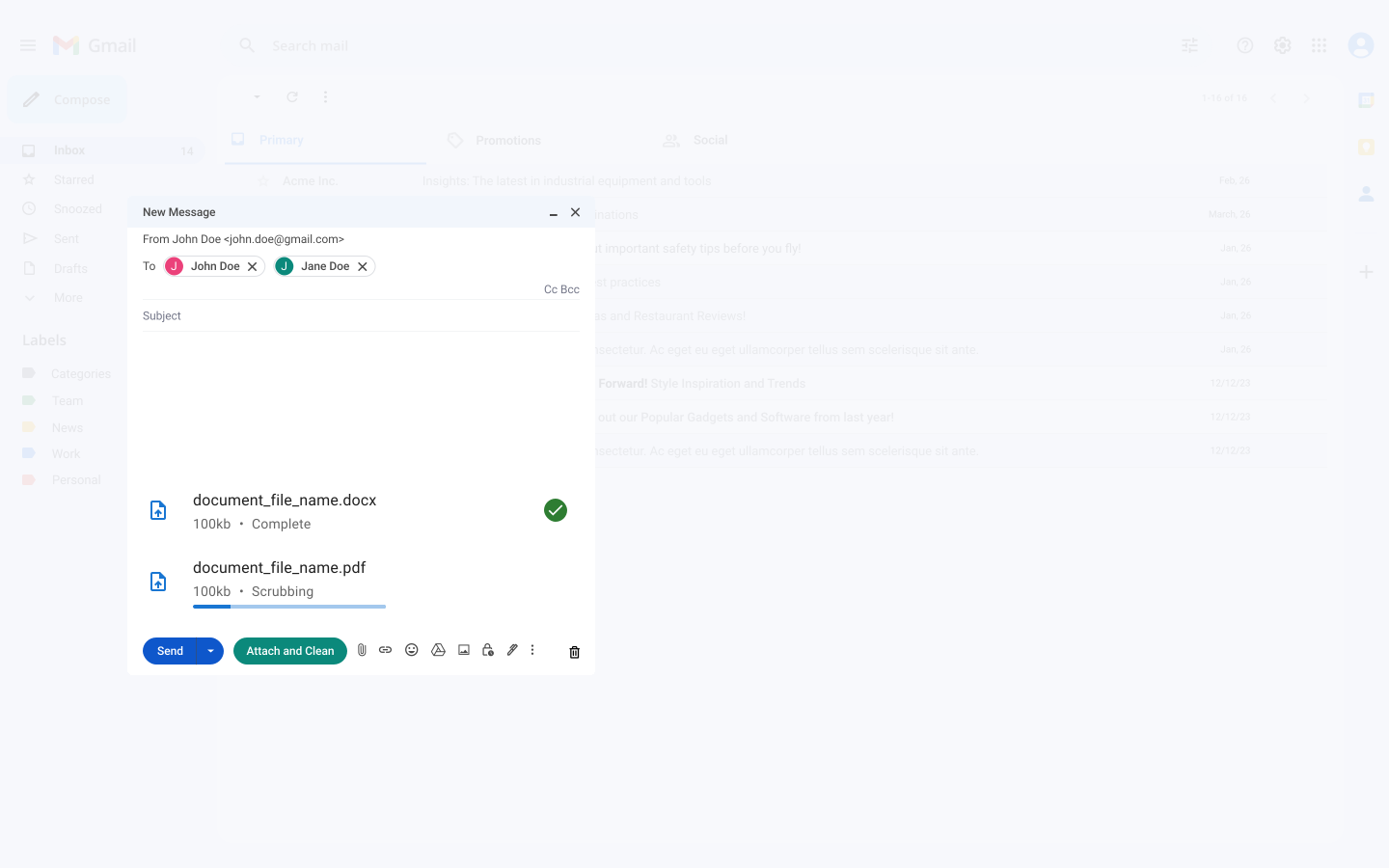
Integrate seamlessly into your Gmail workflow. Install the extension, pin it to your toolbar, and scrub attachments with a single click.
Attach files to your email and use the Okatee scrub button to remove metadata before sending.
Why Okatee?
When a document is created or modified, there are kilobytes of identifying information stored within your file. Okatee seamlessly removes this metadata to prevent the exposure of confidential information.
Sensitive metadata in PDF
Very sensitive metadata found in a PDF document.
Okatee removes author information, creator details, modification history, and other metadata before your documents reach opposing counsel or clients.
| Field | Value |
|---|---|
| Author | Dr. Patricia Walsh (whistleblower) |
| Last Modified By | opposing.counsel@rival.com |
| Custom Property | "Settlement ceiling: $2.1M" |
| Keywords | privileged, do not disclose |
| Producer | Acme Corp - Mergers & Acquisitions |
| Field | Value |
|---|---|
| Author | — |
| Last Modified By | — |
| Custom Property | — |
| Keywords | — |
| Producer | — |
Tracked changes and comments
Tracked changes and comments in a table format.
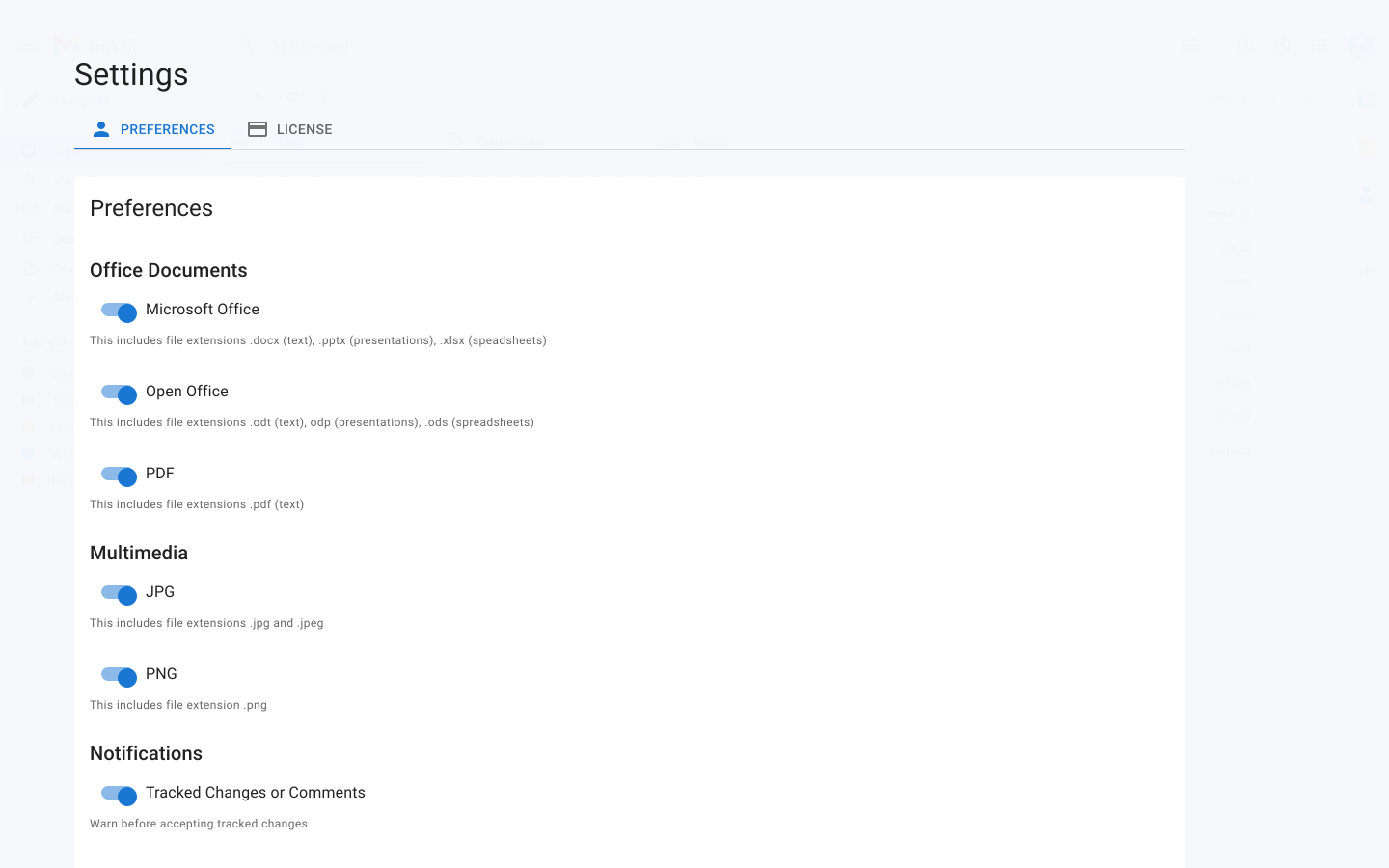
Documents can contain a full audit trail of who changed what and when. Okatee strips tracked changes and comments so only the final content is shared.
| Author | Change / Comment | Date |
|---|---|---|
| Partner Chen | Comment: "Do not send to plaintiff—we will settle for 500k" | Jan 15 |
| Associate Miller | Comment: "Internal: client has prior addiction history" | Jan 16 |
| Partner Chen | Deleted "STRATEGY—max exposure $1.2M" | Jan 17 |
| Author | Change / Comment | Date |
|---|---|---|
| No tracked changes or comments — document is clean | ||
Version history
Version history of a document.
Version history reveals who worked on a document and when. Okatee removes this information to protect your workflow and client communications.
| Version | Author | Date | Revision Notes |
|---|---|---|---|
| 1.0 | Sarah Kim (Associate) | Jan 10 | DO NOT SEND—privileged litigation strategy |
| 1.1 | James Foster (Partner) | Jan 15 | Partner review—reduce settlement ask to 800k |
| 1.2 | Sarah Kim | Jan 20 | Remove client mental health diagnosis reference |
| Version | Author | Date | Revision Notes |
|---|---|---|---|
| No version history — only final document remains | |||
Very sensitive metadata found in a PDF document.
Okatee removes author information, creator details, modification history, and other metadata before your documents reach opposing counsel or clients.
Tracked changes and comments in a table format.
Documents can contain a full audit trail of who changed what and when. Okatee strips tracked changes and comments so only the final content is shared.
Version history of a document.
Version history reveals who worked on a document and when. Okatee removes this information to protect your workflow and client communications.
| Field | Value |
|---|---|
| Author | Dr. Patricia Walsh (whistleblower) |
| Last Modified By | opposing.counsel@rival.com |
| Custom Property | "Settlement ceiling: $2.1M" |
| Keywords | privileged, do not disclose |
| Producer | Acme Corp - Mergers & Acquisitions |
| Field | Value |
|---|---|
| Author | — |
| Last Modified By | — |
| Custom Property | — |
| Keywords | — |
| Producer | — |
Meet confidentiality best practices.
Get started with Okatee and protect your sensitive communications.
Get StartedWhat people are saying
We were sending a 200-page disclosure to opposing counsel and noticed our internal memo with markup and author names was still in the PDF. Okatee scrubbed it in seconds before the deadline.
Arjun VarmaSenior Associate, Michen & Smith LawA partner forwarded a client retainer with tracked changes visible—negotiating rates we never meant to share. We switched to Okatee that week and now scrub everything before it leaves the firm.
Siobhan O'MalleyManaging Partner, Quick LawWe handle medical malpractice and HIPAA exposure is a real concern. Okatee strips metadata from expert reports and exhibits so we can exchange documents without risking patient identifiers in file properties.
Dmitri KozlovPartner, Jones & Rowe Injury LawVersion history showed who drafted which clause during settlement talks. Opposing counsel could have inferred our strategy. Okatee removes all of that—we just send the final document, clean.
Yasmin ChenPartner, Trenton Blake
Okatee Pricing
No additional costs. Pay a reasonable lifetime fee.
Lifetime license / user
Your license includes the following features:
- • Permitted for Business and Commercial use
- • Unlimited metadata removal from supported file types
- • 1 year of included Email support (24 hour response time)
- • One-click Microsoft Word conversion to PDF
- • Access to the online portal for metadata removal
Please contact sales@okatee.com for orders larger than 25.
Email support renews at $19.90 / seat/ year.
HIPAA Compliance
Metadata removal to help meet healthcare industry expectations. HIPAA compliant built-in privacy and security protocols.
Highest security standards
Okatee respects the confidentiality and security of our clients. All of our customer information meets FIPS 140-2 encryption standards.
Meet ABA Standards
Maryland, the D.C. Bar, Colorado, Pennsylvania, and the ABA have found that viewing metadata is permissible and that the burden of removing metadata lies with the attorney producing the electronic documents.
Improve efficiency and reduce risk
Allow staff to focus on higher-value tasks. Prevent costly confidentiality breaches.
Frequently asked questions
If you can't find what you're looking for, email sales@okatee.com for help.
What file types does Okatee support?
Okatee removes metadata from DOCX, XLSX, PPT, PDF, PNG, JPG, and ZIP files. It integrates directly into Gmail for seamless scrubbing before you send. For the most up-to-date list, see our documentation.Is my data secure?
Yes. We do not store or retain any data. Okatee meets FIPS 140-2 encryption standards and is HIPAA compliant.How do I install Okatee?
Install the Okatee Chrome extension from the Chrome Web Store, then refresh any Gmail windows. See our installation instructions for detailed steps.What is metadata and why remove it?
Metadata is identifying information stored within files (author, edits, timestamps, etc.). Removing it prevents exposure of confidential information when sharing documents with clients or opposing counsel.Does Okatee meet legal compliance standards?
Yes. Maryland, the D.C. Bar, Colorado, Pennsylvania, and the ABA have found that the burden of removing metadata lies with the attorney producing electronic documents. Okatee helps you meet these expectations.Need help?
Email sales@okatee.com or visit docs.okatee.com.